I spent a day clicking through three browser tools that do something with letters. One turns your handwriting into a font. One builds a typeface from sliders. One throws your sentence into 3D space and animates it. All three are free, and none asked me to sign up.
After trying them, the line that mattered was not which looked coolest. It was what file I had at the end. Two of them hand you a font you can install and type with. The third hands you nothing at all.
The two that give you a font file
FontCrafter (arcade.pirillo.com/fontcrafter.html) makes a font from your handwriting, and the process is deliberately analog. Print a template, fill in every box by hand, scan it, drop the scan into the browser, download your font.
I could not finish it here — no printer, no scanner. So I downloaded the A4 template and read it instead. Two PDF pages, boxes for A through Z, digits 0 through 9, and a long row of punctuation: question marks, brackets, currency signs, the lot. The instructions are what caught my eye. Use a felt-tip pen, not a marker and not a ballpoint. The dashed line is the baseline, so rest each letter’s bottom on it. Write every character three times, one per row.
That last one has a reason printed right on the page: your natural variation is what makes the font look real. Three versions of each letter, cycled as you type, so the same letter never repeats identically. Ligatures for ff, fi, th and st get generated too, which is the detail that separates a handwriting font from a font that merely leans.
Going by the site’s own description, you can export OTF, TTF, WOFF2, and Base64 for embedding straight into CSS. It also says your scan never leaves your device — everything runs in the browser. No account, no watermark, no paid tier.
Metaflop (metaflop.com/modulator) works from the opposite direction. No handwriting. You pick one of four base typefaces and push sliders, and the sliders are labelled the way type designers talk: pen width, cap height, x-height, contrast, slanting, plus optical corrections like aperture, corner and overshoot. Sixteen of them, by my count.
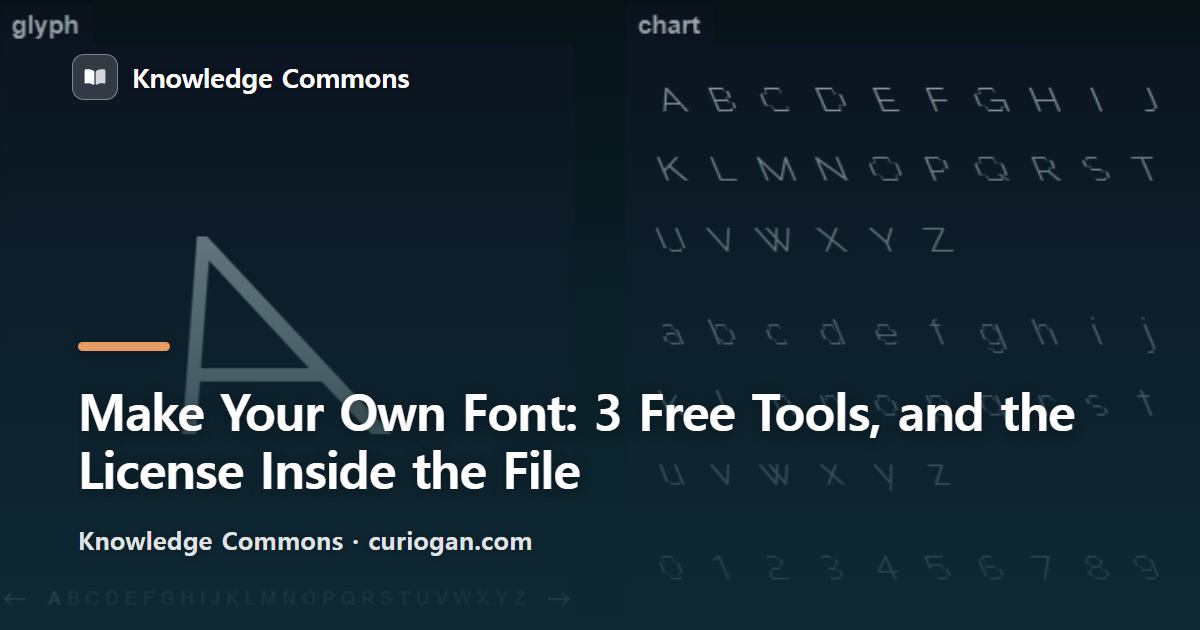
The button worth pressing is “flop it!”. I clicked it and every slider jumped to a random value at once, producing a wide, thin, tilted typeface I had never seen, with the whole A–z chart redrawn instantly. There is an undo, which you will want.
Downloading needed no login. I got a 45KB OTF. Then I did one more thing.
The license is inside the file you download
Metaflop’s FAQ page says the fonts carry the SIL Open Font License 1.1. So I opened the OTF I had just downloaded and read the copyright string baked into it. It says something more specific:
Dual licensed under GPL v3 and OFL 1.1, with Reserved Font Name Bespoke. Built with FontForge, dated the day I generated it.
That reserved font name is the part to notice. Under OFL, an RFN means you cannot ship your modified version under the original name. Putting the font on a website or into print is fine. Redistributing it means renaming it. I ran into the same clause with open-source type foundries in an earlier post.
You will not see any of this from a summary page. You see it by opening the file.
The one that gives you nothing
Space Type Generator (spacetypegenerator.com) is the most fun of the three to look at. Type a sentence and it arranges the letters in space — cylinder, ribbon, flag, string, twenty-three modules on the menu when I counted them on 26 July 2026 — then sets them moving. Hit a preset and dozens of sliders change at once.
I typed our blog’s name in and clicked the Jellyfish preset. The sentence wrapped itself into a dome and rippled. It was built by a designer named Kiel Mutschelknaus, and the ReadMe button on the page opens a single alert box with his name and email. There is a Buy me a coffee link and no paywall behind it.
The catch is saving. There is no export button. I searched the whole page for any export, save, download or record control and found none. Several write-ups elsewhere claim you can export to gif or QuickTime; on the page I loaded, that button does not exist. To use what you made, you screen-record it or take a screenshot.
Which settles what it is for. Not a tool for finished assets — a sketchpad for motion. Somewhere to find a movement you then rebuild in your editing software, or somewhere to lose fifteen minutes.
Three tools, side by side
| Tool | Input | What you keep | Coverage |
|---|---|---|---|
| FontCrafter | Scanned handwriting | OTF, TTF, WOFF2, Base64 | Latin; no CJK, no RTL |
| Metaflop | Sliders | OTF, webfont (GPL v3 + OFL) | A–Z, a–z, 0–9 plus accents |
| Space Type Generator | Typed text | Nothing — screen-record it | Latin only (tested) |
What about accents and other scripts?
Worth checking before you commit an afternoon to writing out a template. FontCrafter states plainly what it will not do: variable fonts, TrueType hinting, right-to-left scripts, CJK character sets, multi-page scans.
Metaflop surprised me here. Its glyph list runs well past the basic alphabet — abreve, aogonek, cacute, ccaron, eogonek and friends, the accented letters Czech, Polish, Hungarian and Romanian need. So a Metaflop font is usable across most of Europe, not only in English.
Space Type Generator I tested directly with non-Latin input. The Latin characters rendered; the rest came out as small stray marks. If your script is not Latin, none of these three is your tool, and the answer is a service built around your writing system rather than a general-purpose generator.
What I would use
If you want your own handwriting as a font you will still be using in five years, FontCrafter. The printing and scanning is real work, and that work is what makes the result look like you. For a display face or a logo in Latin script, Metaflop is faster: a few slider pushes and you have something nobody else is using, with the license stated inside the file.
Space Type Generator I use differently. Judge it as a production tool and it disappoints. Treat it as ten minutes of seeing what letters can do in space and it earns the visit.
One name warning. FontCraft (fontcraft.app) is a different service from FontCrafter, and it lets you draw in the browser or on an iPad instead of printing anything. Easy to land on the wrong one from a search.
We do not make our own fonts for this site — the title cards on each post use system faces. What I did take away is the habit of opening the file. A font page can say one thing and the copyright string inside the OTF can say more, and it takes about a minute to check.
For tools that apply effects to images rather than letters, I wrote those up separately. Free image and design resources are collected here.