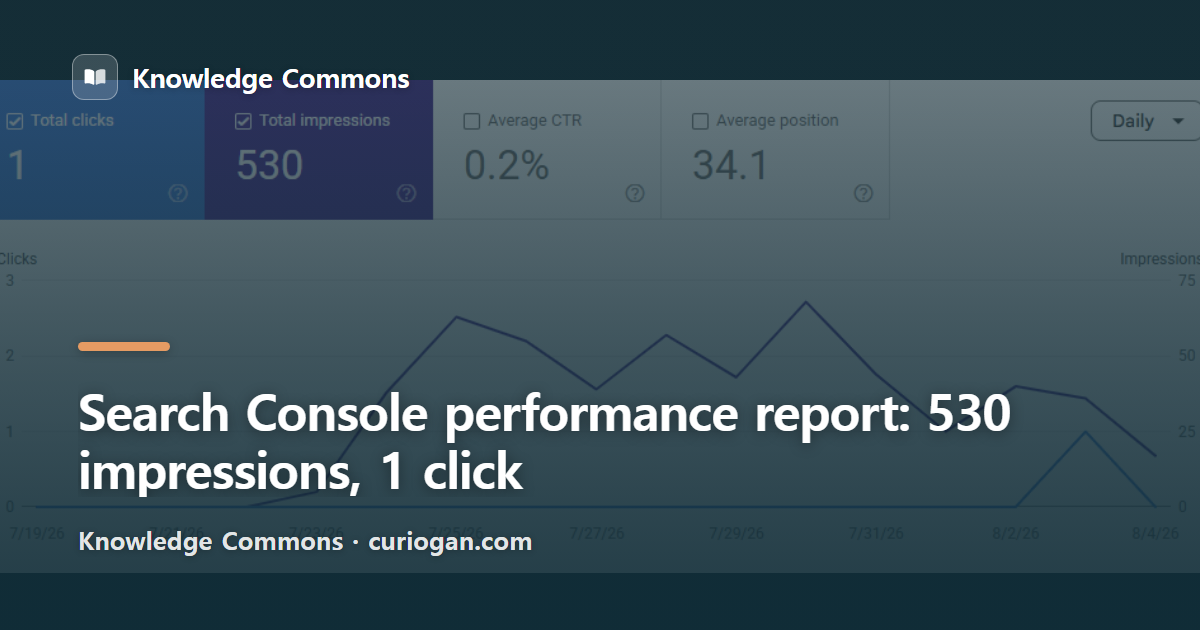
Yesterday I wrote about getting a site registered with search engines. Today I opened Search Console and looked at what it had collected for this blog. Three months of data: 530 impressions, 1 click, an average CTR of 0.2%, and an average position of 34.1 (checked 7 August 2026; the data runs 19 July to 4 August).
Almost every guide to this screen uses screenshots from somebody else’s account with the numbers blurred out. These are ours, so nothing is blurred. Here is where to look and what each number is actually telling you.
What do the four numbers mean?
Clicks and impressions are a pair, and the other two are calculated from them. Google spells the definitions out in its help page on impressions, position and clicks.
| Metric | What it counts | Ours |
|---|---|---|
| Impressions | Times a link to your site appeared in results | 530 |
| Clicks | Times someone clicked through | 1 |
| Average CTR | Clicks divided by impressions | 0.2% |
| Average position | Average slot your link sat in when it appeared | 34.1 |
An impression costs nobody anything. If your page sat near the bottom of page three while someone scrolled past, that counts as one. Impressions going up is not the same as people arriving.
Average position is the one people misread. Your rank changes every time the page is shown, so this is an average of all of those, and when two of your pages rank for the same query only the higher one is counted.
What is a good average position?
Low enough that people see you, which in practice means single digits. Ours is 34.1, and the query table shows exactly what that costs.
| Query | Impressions | Clicks |
|---|---|---|
| manyfast | 24 | 1 |
| best free wordpress plugins | 31 | 0 |
| actually free apps of the week | 15 | 0 |
| wordpress permalinks | 8 | 0 |
The query with the most impressions brought in nothing. The one click on the whole site came from a brand name somebody typed on purpose. That is the shape of a site sitting in the thirties: plenty of appearances, almost no arrivals.
The Korean side of this blog makes the same point from the other direction. Over the same period it recorded fewer impressions, 316, but six clicks, because its average position was 20.7 rather than 34.1. Fewer appearances, better seats, more visitors.
So the column to read first is position, not impressions. If a query sits in the thirties, rewriting the title will not save it, because nobody scrolled far enough to read the old one. Rewriting titles pays off in the top ten, where people see you and choose someone else.
How do you check whether your pages are indexed?
Open Indexing, then Pages, in the left menu. Ours said 17 pages indexed and 6 not indexed. We had 30 posts published at that point.
Three different ways of counting the same site, all checked on 7 August 2026:
| Counted by | Number |
|---|---|
| Search Console, indexed pages | 17 |
| Google, site:curiogan.com | about 29 |
| Posts published before this one | 30 |
The explanation was in small grey text above the chart. The indexing report said last updated 24 July. The performance report said last updated 7 hours ago. The two screens are running two weeks apart, so of course they disagree.
On the Korean property I found a page filed under discovered but not indexed that was, at the same moment, credited with 103 impressions and 2 clicks in the performance report. A page cannot collect impressions without being in the index. One of the two screens was simply older.
When the numbers argue with each other, read the last-updated date before you go looking for a fault. And treat a site: count as a rough figure: Google prints the word “about” in front of it for a reason.
What kind of pages were not indexed?
Click the reason and you get the list of URLs, which is where the useful part starts. Six of ours were excluded, for three different reasons, and they did not all mean the same thing.
One was flagged as excluded by a noindex tag. That sounds alarming until you open it: the URL was /comments/feed/, a comment feed WordPress generates on its own. It is supposed to stay out of search. Nothing to fix.
Three more were crawled but currently not indexed, which means Google came, read the page and decided against it. One of those was /feed/, the site’s RSS feed, which is another entry that belongs where it is. The other two were ordinary posts.
The last two were discovered but currently not indexed: an old author URL we redirect, and a category listing. Neither is worth chasing.
One thing surprised me. The Korean half of this blog carries the same articles, and its excluded list is not the same list. Exactly one URL appears on both. Whatever makes these calls is working at a finer grain than the site as a whole, so open your own list instead of matching it against somebody’s checklist.
Getting a new post looked at
Paste the URL into the inspection box at the top of the page. I tried the post published yesterday and got this:
URL is not on Google. This page is not in the index: URL is unknown to Google.
A day after publishing, the address did not exist as far as Google was concerned. No referring sitemap detected either. There is a Request Indexing button underneath, so I pressed it. It ran a live test for about a minute, then returned this:
URL added to a priority crawl queue. Submitting a page more than once does not change its queue position or priority.
That second sentence is worth keeping. Plenty of advice online tells you to keep hitting the button until something happens. Google says on the screen itself that it makes no difference. Submit once and leave it.
Where is the generative AI report everyone mentions?
Not in our account. Google’s help page for the generative AI performance report describes it as a view of how often links to your site appeared inside AI Overviews and AI Mode, sitting under the performance reports.
The same page also says the report is rolling out over time and that not all properties have access to it. Neither of our two properties has the menu item as of today. The one metric it offers is impressions, so even with access you would not learn which query put you in an AI answer.
Why the name you give this work matters less than it sounds is something I went through in the post on SEO, AEO and GEO. When the report shows up in our account, I will write it up with real numbers rather than a description.
A short order to follow
Read the position column in the performance report first. Check that the page count under Indexing roughly matches how many posts you have. If it does not, look at the last-updated date before anything else. Drop each new post into URL inspection once.
Small numbers are still worth reading. A screen with one click on it told me that the page drawing the most impressions here, a roundup of free WordPress plugins, has never once been clicked, and that the only visitor who did arrive was someone typing a tool’s name. I did not decide which of those pages mattered. The people searching did.